ChurchMediaPro Church Media

Feature · Extend the Sermon

How to Turn One Sermon Into a Week of Content (Without an Editor)

Sunday's sermon gets preached once, posted once and forgotten by Tuesday. Here's how to make it carry the whole week, even with nobody on staff to edit.

Updated

Made by Church Media Squad, who also run Pro Church Media.

The short version

The short version

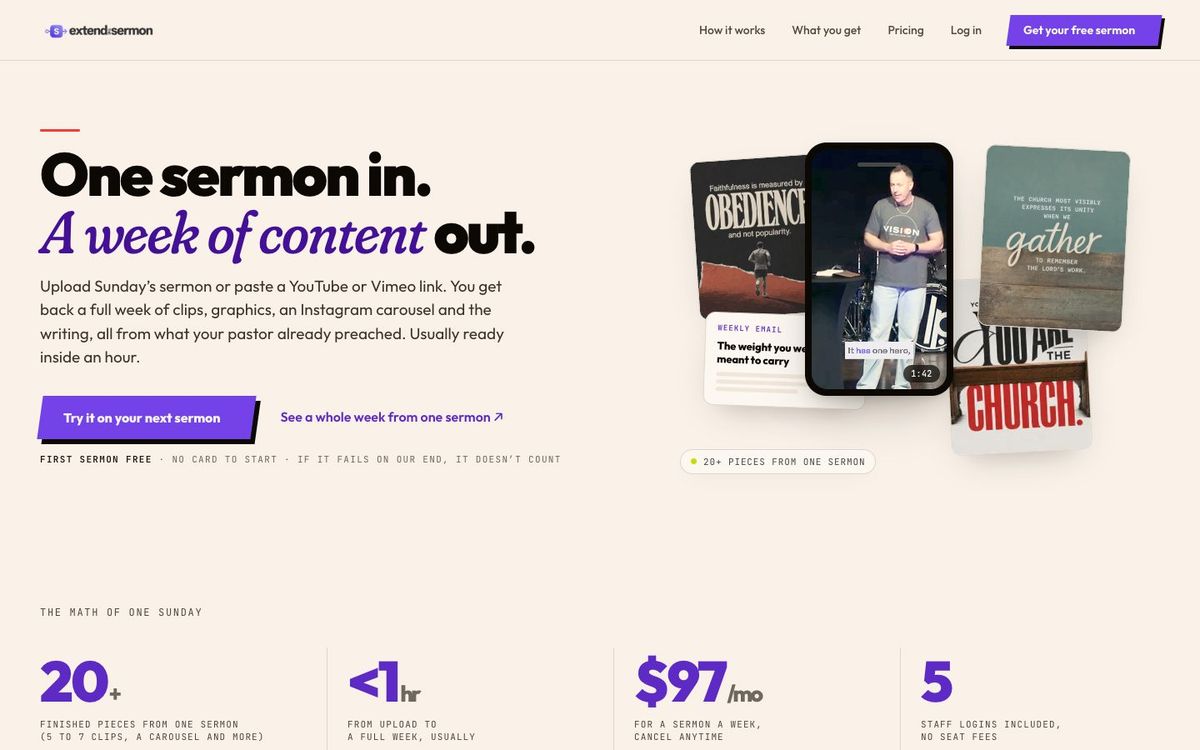
Upload Sunday's sermon or paste a YouTube link into Extend the Sermon, which we make, and usually within an hour you have 5 to 7 captioned vertical clips, 9 social graphics, an Instagram carousel, a blog post, a weekly email, a small-group guide and a kids sheet. Review the drafts, schedule the week, and the message keeps working after Sunday.

What Extend the Sermon does

One sermon in. A week of content out.

  • 5–7 vertical clips

    Captioned, framed on the speaker, each with music, without music and without captions

  • 9 social graphics

    Ready for Instagram, Facebook and LinkedIn

  • Instagram carousel

    Six or seven slides that walk through the message

  • Blog post

    For the people who missed Sunday

  • Weekly email

    A midweek note that points back to the message

  • Small-group guide

    Discussion questions with leader notes

  • Kids sheet

    So the kids team teaches from the same sermon

The sermon is the biggest thing your church makes every week. Your pastor spends hours on it, and then it gets preached once, posted once and forgotten by Tuesday. It's not that nobody cares. It's that clips, graphics, a blog post and small-group questions are four different jobs, and most churches don't have someone to do any of them.

How it works

  • Upload Sunday's sermon or paste a YouTube link. MP3, MP4, WAV and M4A files up to 2 GB work, including livestream rips, lapel mic recordings and phone audio.
  • Usually within an hour, the clips, graphics, carousel and writing are waiting in your dashboard, drawn from your pastor's own words.
  • Add your colors, logo and font to the brand kit so every graphic looks like your church.
  • Read every draft and watch every clip for context, then schedule the week.

A week built from Sunday

  • Monday: the strongest clip and the blog post
  • Tuesday: a quote graphic
  • Wednesday: the weekly email and a second clip
  • Thursday: the carousel, and the small-group guide to leaders
  • Friday: a third clip, and the kids sheet to the kids team
  • Saturday: an invite to this Sunday

Who it's for

  • Churches with no editor or writer to repurpose Sunday's message
  • Communications staff who want drafts to review, not blank pages
  • Small-group and kids leaders who want material from the same sermon

What it costs

Your first sermon is free, with the full week of content and no card needed. After that it's $97 a month for one sermon a week (Oct 2026), and you can cancel anytime. The account owner can invite up to 5 staff members with their own logins, with no seat fees.

Before anything posts

The drafts come from your pastor's own words, but a person still signs off. Watch every clip start to finish and ask whether the line still means what your pastor meant, and check scripture references, names and dates in the writing. If a clip has music, make sure your church has the rights; our church music licensing guide explains what each license covers.

Prefer to do it by hand?

You can build the same week with separate tools: a clip tool like OpusClip or CapCut, quote graphics in Canva, and a scheduler like Buffer or Meta Business Suite. It takes longer each week, but it works. Compare the options in our sermon clip tools guide.

Questions churches ask

FAQ

How do you turn a sermon into a week of content?

Start from one recording, pull three to five moments that stand on their own, and turn them into vertical clips, quote graphics, a blog post, an email and small-group questions. Extend the Sermon drafts all of these from one upload, usually within an hour.

Is Extend the Sermon free for churches?

Your first sermon is free, with the full week of content and no card needed. After that it's $97 a month for one sermon a week, and you can cancel anytime.

Can we use our YouTube sermon link?

Yes. Paste a YouTube link, or upload an MP3, MP4, WAV or M4A file up to 2 GB. Livestream rips, lapel mic recordings and phone audio all work.

Can our whole staff use one account?

Yes. The account owner can invite up to 5 staff members, each with their own login, and there are no seat fees.

Multiply Sunday

One sermon in. A week of content out.

Made by Church Media Squad, who also run Pro Church Media.

Try a sermon free ↗

More from the blog: guides and tool roundups for church creatives.