Planning & Collaboration
Frame.io
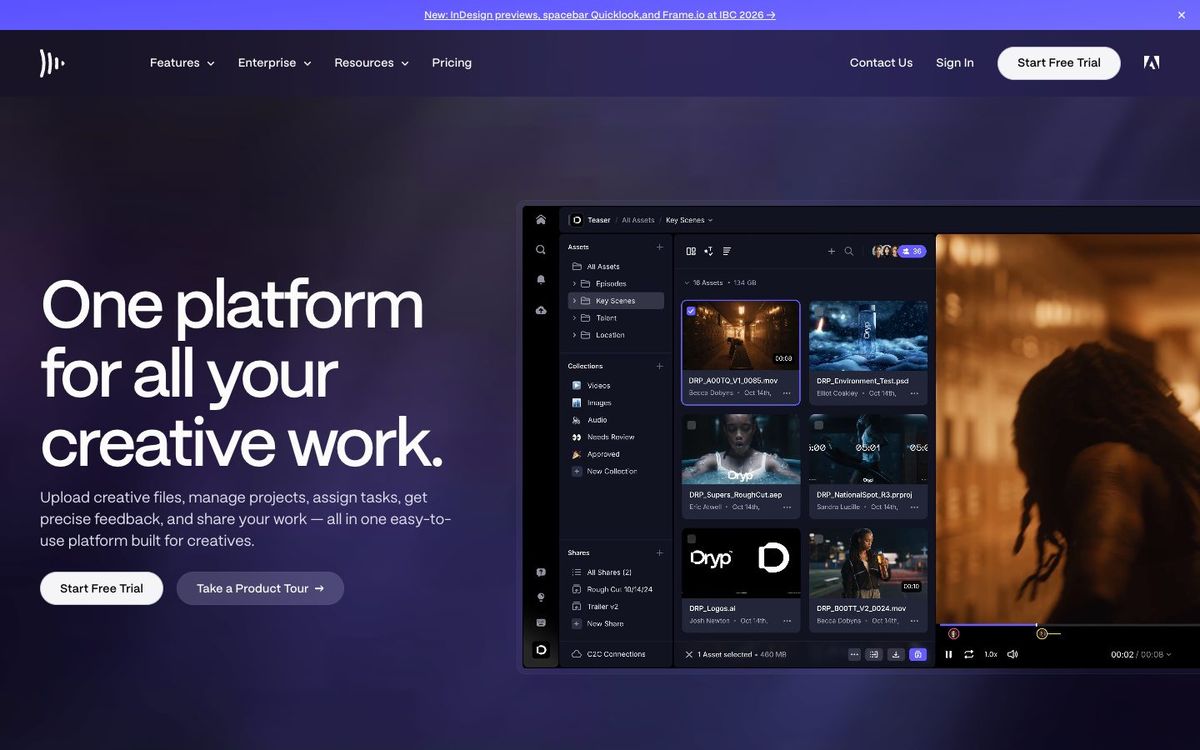
Video review and approval: share cuts with your pastor and collect comments pinned to the exact frame instead of long email threads.
Also inVideo Editing
- Price
- Free (2GB, 2 projects); Pro $15/member/mo (Oct 2026)
- Free option
- Yes
- Works on
- Web, iOS, iPad
- Learning curve
- Easy
The short answer: is Frame.io right for your church?
Frame.io is a video review tool where editors upload a cut and pastors or staff leave comments pinned to exact frames. It's best for church video teams sending announcement videos, stories and sermon clips through rounds of feedback. The catch: the free plan's 2GB fills fast with video, so an active team will need Pro.
Who Frame.io is for
Great for
- Editors who get notes from several staff members on every video
- Teams with volunteer editors working from home
- Churches editing in Premiere Pro or Final Cut Pro
Skip it if
- Churches making one simple video a month. A share link from your cloud drive is enough.
- Teams that need to track every request across ministries. A project management app covers that better.
How churches use Frame.io
Baptism story approvals
Upload the cut and send a share link to the pastor and the family. Notes land on the exact frames that need changes.
Announcement video notes
Staff leave frame-accurate notes, and the editor sees them inside Premiere Pro instead of retyping them from an email.
Volunteer editor handoff
Keep footage and cuts in a shared project so a volunteer can pick up the Easter video from home.
Getting started with Frame.io
- 1
Sign up free and upload one finished announcement video.
- 2
Send a share link to your pastor and ask for notes on the video itself.
- 3
Connect Frame.io to your editing app if your editor uses Premiere Pro or Final Cut Pro.
Pros and watch-outs
What we like
- Comments pinned to exact frames, not timestamps in an email
- Viewers don't need an account to open share links
- Passphrases and expiration dates for share links
- Works with Premiere Pro, After Effects and Final Cut Pro
Watch out for
- Free plan holds only 2GB and two projects
- Pro is $15 per member each month
- No published nonprofit discount
Rather hand off the edit?
The camera part is usually solved. It's the edit where Sunday's footage sits on a hard drive. Church Media Squad edits sermon bumpers, event recaps, testimony films and social cuts for churches.
See Squad video ↗Church Media Squad also runs Pro Church Media.
Frame.io FAQ
Is Frame.io free?
Yes, for light use. The free plan covers up to 2 members, 2GB of storage and 2 projects. Pro is $15 per member per month.
Do reviewers need a Frame.io account?
Not to view. Frame.io says people you send a share link to can view assets without an account.
Which editing apps work with Frame.io?
Frame.io lists integrations with Premiere Pro, After Effects and Lightroom, and its notes can show up as markers on a Final Cut Pro timeline.