Social Tools
Lightroom for Mobile
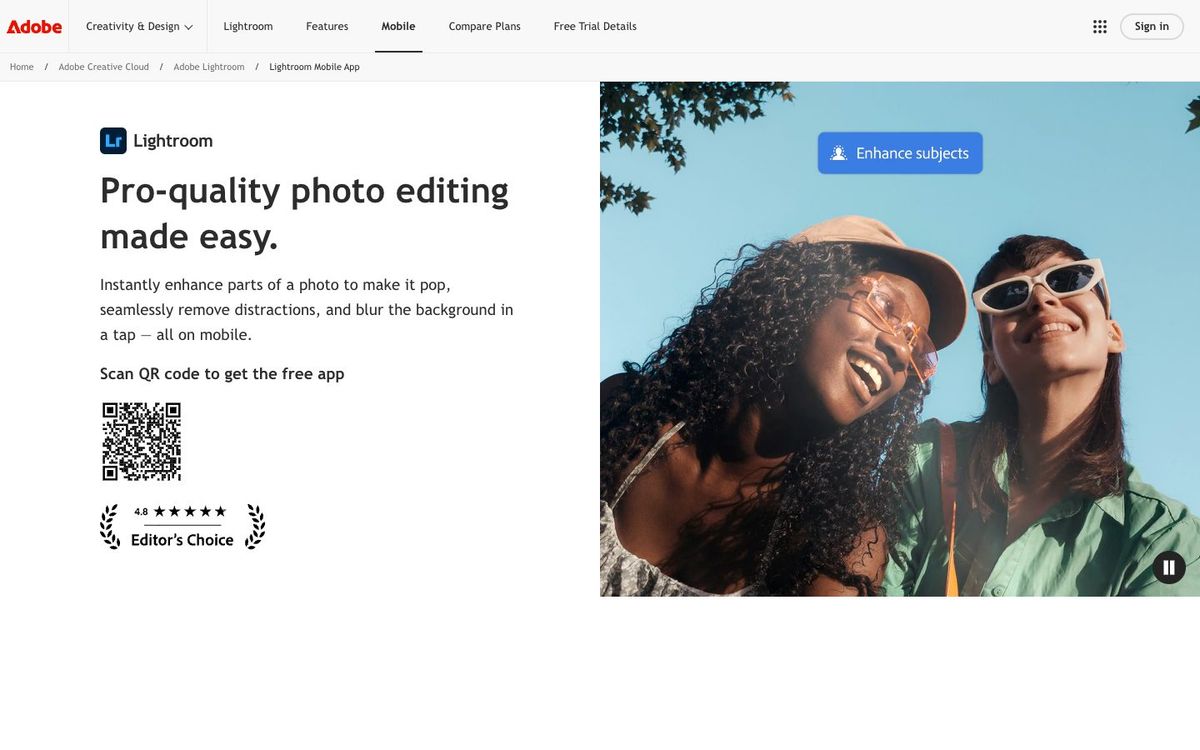
Adobe's free photo editing app for iPhone, iPad and Android. Fix lighting and color on Sunday photos and keep a consistent look with presets.
- Price
- Free app; Lightroom plan $11.99/mo, annual billed monthly (Oct 2026)
- Free option
- Yes
- Works on
- iOS, iPad, Android
- Learning curve
- Easy
The short answer: is Lightroom for Mobile right for your church?
Lightroom for mobile is Adobe's free photo editing app for iPhone, iPad and Android, with presets and basic editing tools. It's best for church photographers and social volunteers editing Sunday photos straight from their phone. The catch: features like Generative Remove and Lens Blur need a paid Lightroom plan, which starts at $11.99 a month.
Who Lightroom for Mobile is for
Great for
- Volunteers who shoot Sunday photos on their phone and post the same day
- Churches that want every photo on Instagram to share one look
- Photographers who edit on the go between services
Skip it if
- Teams editing hundreds of event photos at once. A desktop photo editor handles big batches better.
- People who need graphics with text and layouts. A design app is the right tool for that.
How churches use Lightroom for Mobile
Same-day Sunday photos
Brighten dark sanctuary shots and fix color from stage lights, then post to Instagram before lunch.
One look for the feed
Save your edits as a preset and reuse it on every Sunday photo. Export the preset as a file so other photographers can match it.
Baptism Sunday
Clean up baptism photos quickly so families get them while the moment is still fresh.
Getting started with Lightroom for Mobile
- 1
Download Lightroom for mobile free from the App Store or Google Play.
- 2
Edit one Sunday photo with the light and color tools, then save it as a preset.
- 3
Apply that preset to the rest of the morning's photos and adjust each one slightly.
Pros and watch-outs
What we like
- Free app with presets and basic editing tools
- Runs on iPhone, iPad and Android
- Custom presets keep every Sunday photo looking consistent
- Paid plan adds Lightroom on desktop and web
Watch out for
- Generative Remove, Lens Blur and Adaptive Presets need a paid plan
- Paid plans are annual commitments billed monthly
- Presets only sync across devices with a paid plan
Lightroom for Mobile FAQ
Is Lightroom for mobile free?
Yes. The app is free and includes presets and basic editing tools. Premium features need a paid Lightroom plan, from $11.99 a month.
What do you get with the paid Lightroom plan?
Features like Generative Remove, Lens Blur and Adaptive Presets, plus Lightroom on desktop and web with 1TB of cloud storage.
Does Lightroom work on Android?
Yes. Lightroom for mobile is available on iPhone, iPad and Android.