ChurchMediaPro Church Media

Feature · Remix Studio

Remix Studio: Edit Church Templates in Your Browser, No Photoshop Needed

You found the perfect sermon series design. It has someone else's title, and the file needs Photoshop. Here's how to make it yours in a browser, in minutes.

Updated

Made by Church Media Squad, who also run Pro Church Media.

The short version

The short version

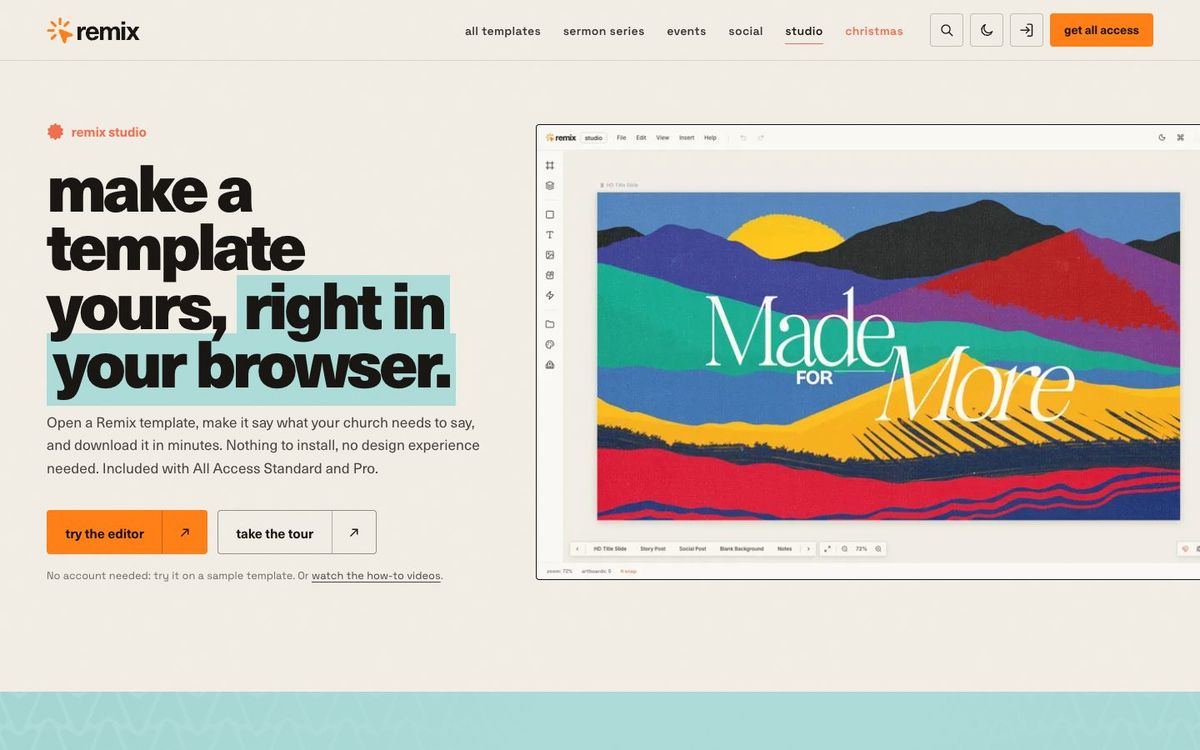
Remix Studio, which we make, is a design app that runs in your browser. Open one of 750+ church templates, change the words, dates and colors, and export every slide, post and story at once. Nothing to install and no design experience needed. It's included with Remix All Access Standard and Pro, and you can try it on a sample template without an account.

What Remix Studio does

Make a template yours, right in your browser.

  • 750+ church templates

    Sermon series, events and social, opened with one click and growing

  • Runs in your browser

    Chrome, Safari or Edge, with nothing to install

  • Every size at once

    HD slide, social post, story and square in one project, then Export All

  • Smart Reflow

    Rebuilds a finished design at a new size

  • Autosave to the cloud

    Pick the project up on any computer

  • Your fonts and colors

    The font library plus your own fonts, with colors, gradients and patterns

  • Real design tools

    Layers, groups, shapes, and curved and warp text

  • Pro extras

    AI images, Sermon Builder, Pexels photos, and SVG and layered PSD export

See Remix Studio
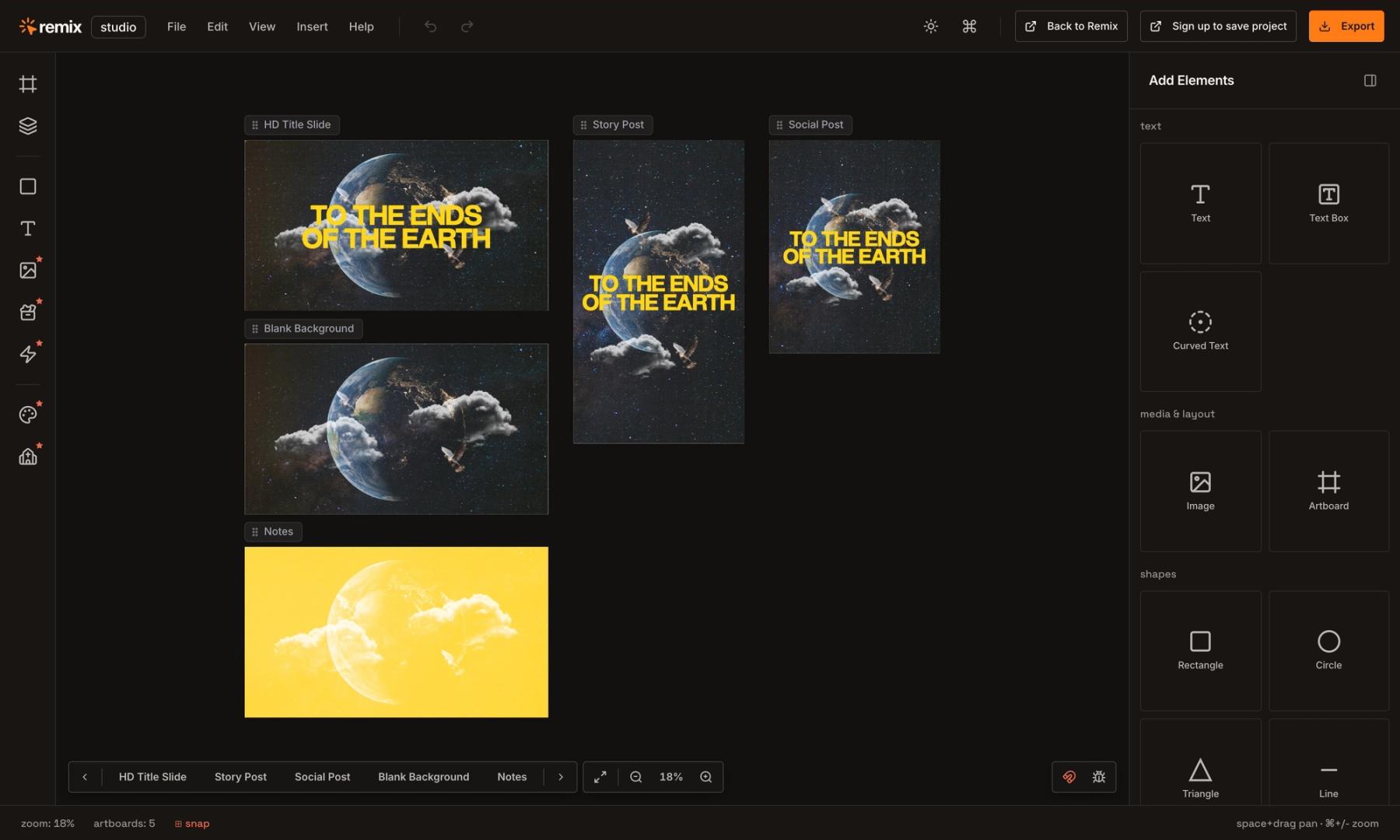
Remix Studio editor showing a sermon series as an HD title slide, story post, social post, blank background and notes slide
Every size in one project. This sample series opens with its HD title slide, story post, social post, blank background and notes slide side by side.
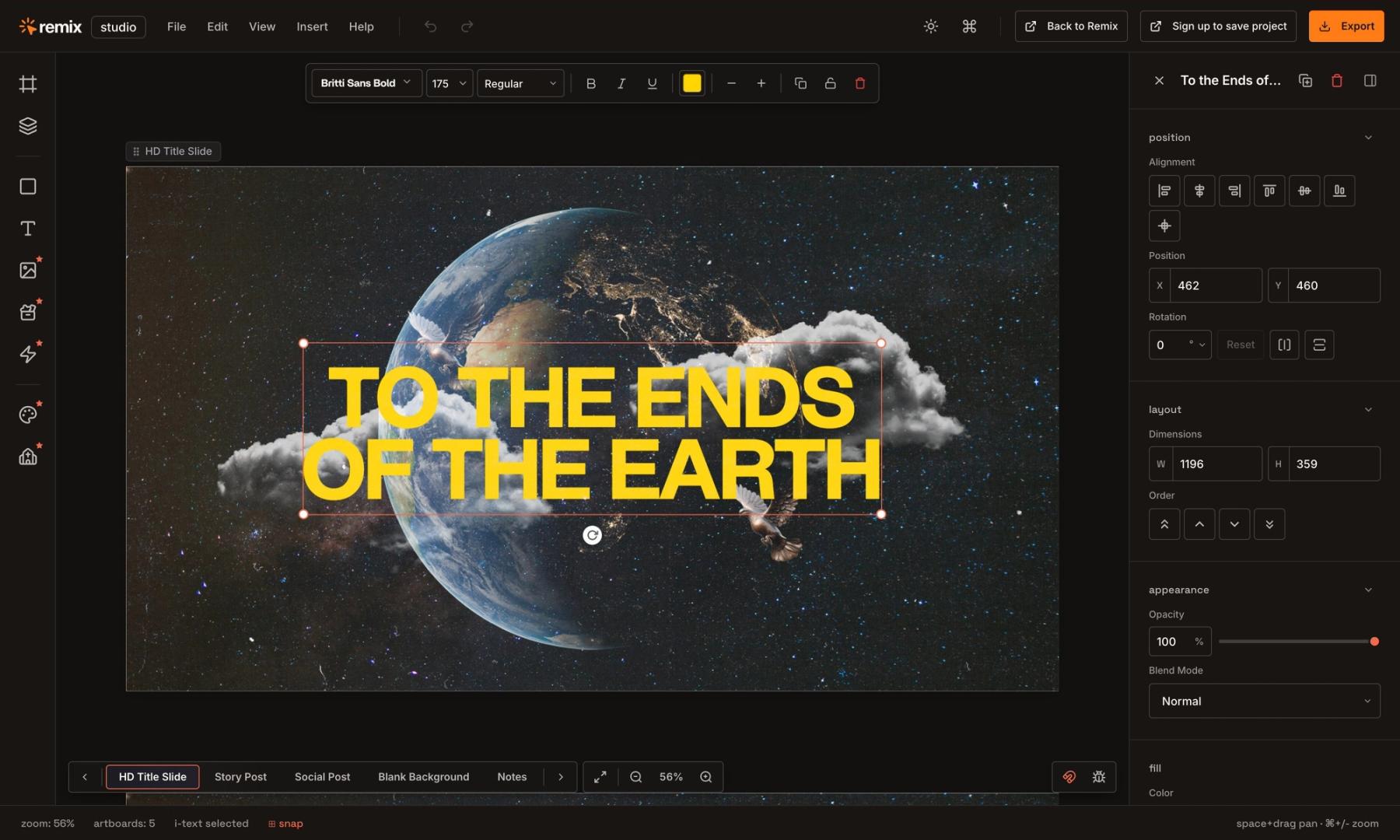
Remix Studio zoomed in on the HD title slide with the series title selected and the properties panel open
Jump to the HD title slide and click the title to change the words, font, size and color. The panel on the right handles position, layout, appearance and type.

You found the perfect sermon series design. It has someone else's title on it, and the file only opens in Photoshop, which nobody on your team has. So the volunteer either learns a pro design app on a Saturday night or starts over from a blank page. Remix Studio is built for that moment.

How it works

  • Pick a template on Remix. Templates that open in Studio have an "Edit in Remix Studio" button.
  • Click it and every artboard opens already laid out: the title slide, the post, the story.
  • Change the title, add the dates, update the colors or swap in an image.
  • Save to the cloud, then Export All to download every artboard at once as PNG or JPEG.

Every size in one project

One project holds every size side by side, so the series looks the same on Sunday's screens and in the feed:

  • HD slide, 1920 × 1080, for sermon decks, lyrics and announcements
  • Social post, 1080 × 1350, for Instagram and Facebook feeds
  • Story, 1080 × 1920, for Instagram and Facebook stories
  • Square, 1080 × 1080, for anywhere a square fits
  • Custom sizes for print, web banners and stage screens

Who it's for

  • Pastors and ministry leaders who need a quick title slide or social graphic
  • Volunteers who help with media a day or two a week
  • Social media managers making posts, stories and announcements
  • Communications and creative directors who want one consistent look

No design experience is needed. If you can drag a box and pick a color, you can make something good.

What it costs

Remix Studio is included with Remix All Access Standard, $57 a month or $497 a year, and Pro, $117 a month or $997 a year (Oct 2026). Pro adds AI image generation, Sermon Builder, Pexels stock photos, Design Toolkits, Brand Assets, Icons & Glyphs, and SVG and layered PSD export. The Social plan doesn't include Studio. You can try the editor on a sample template without an account.

Good to know

750+ of Remix's 6,000+ templates open in Studio today, and the list is growing. The rest still download as files you can edit in Photoshop or another design app. Your project data isn't used as training data, and anything the AI creates stays fully editable.

Other ways to do it

If you'd rather start from a general design app, see Canva vs Adobe Express for churches and the best design apps for church volunteers. For the whole process, from the title to the booth, follow how to make a sermon series graphic.

Questions churches ask

FAQ

Do I need Photoshop to edit Remix templates?

No. Remix Studio opens 750+ Remix templates in Chrome, Safari or Edge, with nothing to install. Templates without the Edit in Remix Studio button still download as files for Photoshop or another design app.

Is Remix Studio free?

You can try it on a sample template without an account. To edit Remix templates, it's included with All Access Standard ($57/mo or $497/yr) and Pro ($117/mo or $997/yr) (Oct 2026).

Can we use our church's own fonts in Remix Studio?

Yes. Studio includes a font library and lets you add your own fonts, along with your colors, gradients and patterns.

Can Remix Studio make every size we need?

Yes. One project can hold an HD slide, a social post, a story, a square and custom sizes side by side, and Export All downloads every artboard at once. Smart Reflow rebuilds a finished design at a new size.

Do it yourself

Make a template yours, right in your browser.

Made by Church Media Squad, who also run Pro Church Media.

Try Remix Studio ↗

More from the blog: guides and tool roundups for church creatives.