Video Editing
Descript
Edit sermon video and podcasts by editing the transcript. Cut filler words, clean up audio and pull quote clips without a timeline.

- Price
- Free plan; paid from $16/mo billed yearly, $24 monthly (Oct 2026)
- Free option
- Yes
- Church discount
- Special rates for nonprofits (apply through Descript's form)
- Works on
- Web, Mac, Windows
- Learning curve
- Easy
The short answer: is Descript right for your church?
Descript edits video and audio through a text transcript, so cutting a sermon feels like editing a document. It's best for churches turning Sunday's message into a podcast, a tighter video and short clips. The catch: the free plan exports at 720p with a watermark, and monthly media hours run out fast on long services.
Who Descript is for
Great for
- Churches publishing the sermon as a podcast every week
- Staff who are comfortable in a document but not a video timeline
- Teams pulling quote clips from the message for social
Skip it if
- Editors who need detailed color grading and effects. A full desktop editor fits better.
- Churches posting a full 90-minute service on the free plan. One media hour a month won't cover it.
How churches use Descript
Sermon podcast
Upload the message, delete the announcements from the transcript, run Studio Sound and export the episode.
Tighter online sermon
Remove filler words and long pauses so the online version of the message moves a little faster.
Midweek quote clips
Find a strong paragraph in the transcript and use Create Clips to turn it into a short video for social.
Getting started with Descript
- 1
Sign up free and upload last Sunday's sermon to see the transcript.
- 2
Delete a few sentences in the text and watch the video cut with them.
- 3
Fill out Descript's nonprofit rates form before you choose a paid plan.
Pros and watch-outs
What we like
- Editing a transcript is easier than a timeline for most staff
- Studio Sound and filler-word removal on paid plans
- Works on Mac, Windows and in Chrome or Edge
- Special rates for nonprofits through an application form
Watch out for
- Free plan exports at 720p with a watermark
- Media hours cap how much you can upload each month
- Desktop app needs macOS 14 or Windows 11
Want a week of content from one sermon?
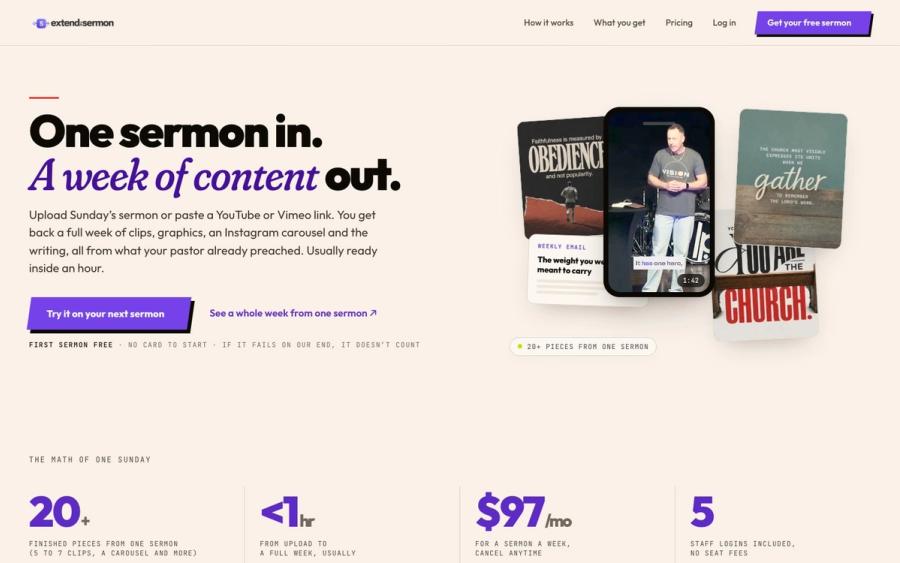
Descript helps you cut clips. Extend the Sermon starts from the sermon itself: upload it or paste a YouTube link and get 5 to 7 captioned vertical clips, 9 social graphics, a carousel, a blog post, an email and a small-group guide, usually within an hour.
Try a sermon free ↗Made by Church Media Squad, who also run Pro Church Media.
Descript FAQ
Is Descript free for churches?
There's a free plan with one media hour a month and 720p exports with a watermark. Paid plans start at $16 a month billed yearly, or $24 month to month.
Does Descript have a nonprofit discount?
Descript says it offers special rates for students, educators and nonprofits. You apply through a form linked from its pricing page.
Can Descript turn our sermon into a podcast?
Yes. Edit the audio by editing the transcript, clean it up with Studio Sound on a paid plan, then export the episode.
Does Descript have a phone app?
Not for editing. Descript's help center says you can upload media from your phone, but editing happens in the desktop app or in a Chromium browser like Chrome or Edge.