Photo & Camera
Blackmagic Camera
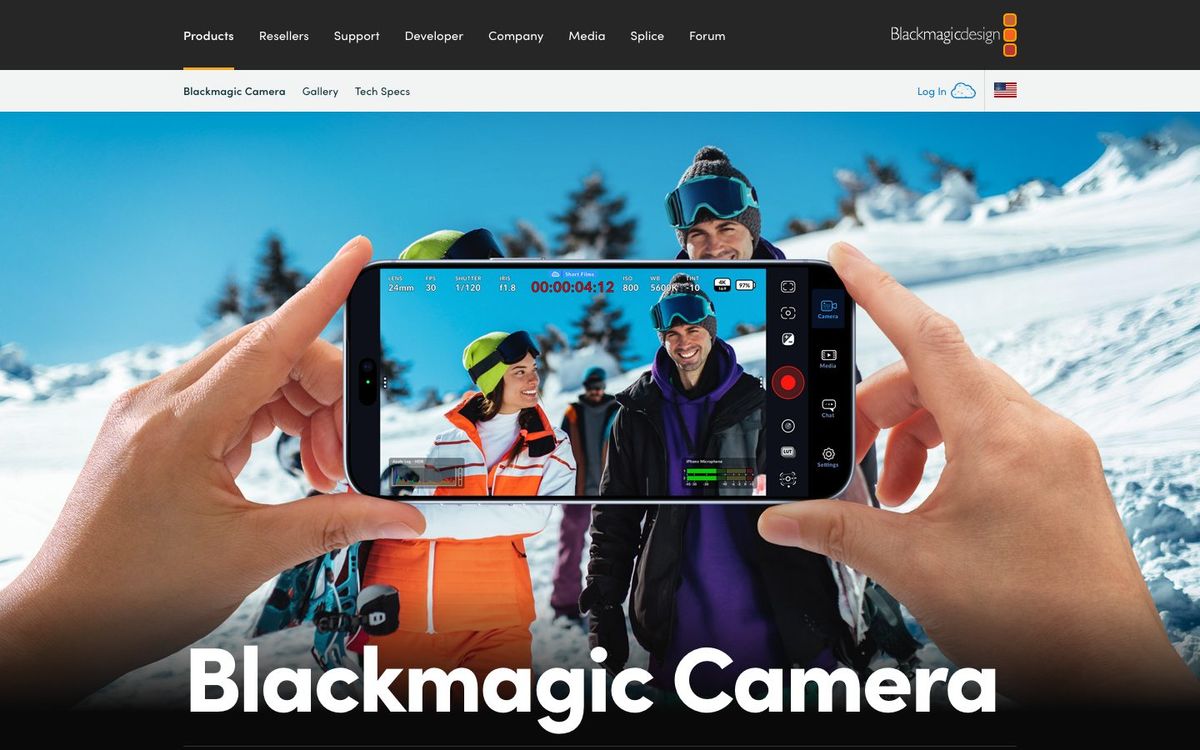
Free camera app for iPhone, iPad and Android with manual controls, useful for testimony shoots, extra angles and event video.
Also inLivestreaming
- Price
- Free
- Free option
- Yes
- Works on
- iOS, iPad, Android
- Learning curve
- Moderate
The short answer: is Blackmagic Camera right for your church?
Blackmagic Camera is a free app that gives your phone the manual controls of a cinema camera: ISO, shutter, white balance, focus and frame rate. It's best for churches shooting testimonies, baptisms and event video on phones they already own. The catch: Android support covers listed models only, and some features need extra hardware.
Who Blackmagic Camera is for
Great for
- Volunteers shooting baptism or testimony videos on their own phones
- Churches adding a phone as an extra angle for the sermon edit
- Editors who use DaVinci Resolve and want clips synced through Blackmagic Cloud
Skip it if
- Volunteers who just want to point and shoot. The phone's built-in camera app is simpler.
- Churches with older or unlisted Android phones. Check Blackmagic's supported list first, or use the phone's own camera app.
How churches use Blackmagic Camera
Testimony video
Set focus, exposure and white balance by hand on the person speaking, so the phone doesn't keep adjusting while they talk.
Second angle on Sunday
Mount a phone at the side of the room, match your main camera's frame rate and record a second angle for the sermon edit.
Baptism coverage
Run two or three phones with matching settings, then start and stop recording on all of them from one device.
Getting started with Blackmagic Camera
- 1
Install Blackmagic Camera free from the App Store or Google Play.
- 2
Match your frame rate and resolution to your other cameras before you shoot.
- 3
Record a test clip using focus assist and zebras to check focus and exposure.
Pros and watch-outs
What we like
- Free, with no subscription
- Manual ISO, shutter, white balance and focus
- Records H.264 and H.265, plus Apple ProRes on iPhone and iPad
- Can stream straight to YouTube with your stream key
Watch out for
- Android support is limited to listed models on Android 13 or later
- So many settings that casual volunteers can get lost
- ATEM control and external drives need the $339 ProDock
Blackmagic Camera FAQ
Is Blackmagic Camera free?
Yes. The app is a free download for iPhone, iPad and supported Android phones. Optional hardware, like the $339 ProDock for recent iPhone Pro models, is extra.
Can we livestream with Blackmagic Camera?
Yes. You can stream straight from the app to platforms like YouTube by entering your stream key. For a multi-camera service, a switcher gives you more control.
Does Blackmagic Camera work on Android?
On supported models running Android 13 or later, including recent Samsung Galaxy S and Google Pixel phones. Check Blackmagic's list before you plan around a volunteer's phone.
Can we use an iPhone as a camera with an ATEM Mini?
Yes, with the Blackmagic Camera ProDock. It sends video, tally and camera control to an ATEM Mini over one HDMI cable.