
ChurchMediaPro Church Media

Feature · ChurchCreate

ChurchCreate: AI Church Graphics in Your Church's Look, Every Size at Once

It's Thursday, the series starts Sunday, and nobody on staff is a designer. Here's how ChurchCreate turns one sentence into a finished set of graphics in your church's look.

Updated

Made by Church Media Squad, who also run Pro Church Media.

The short version

The short version

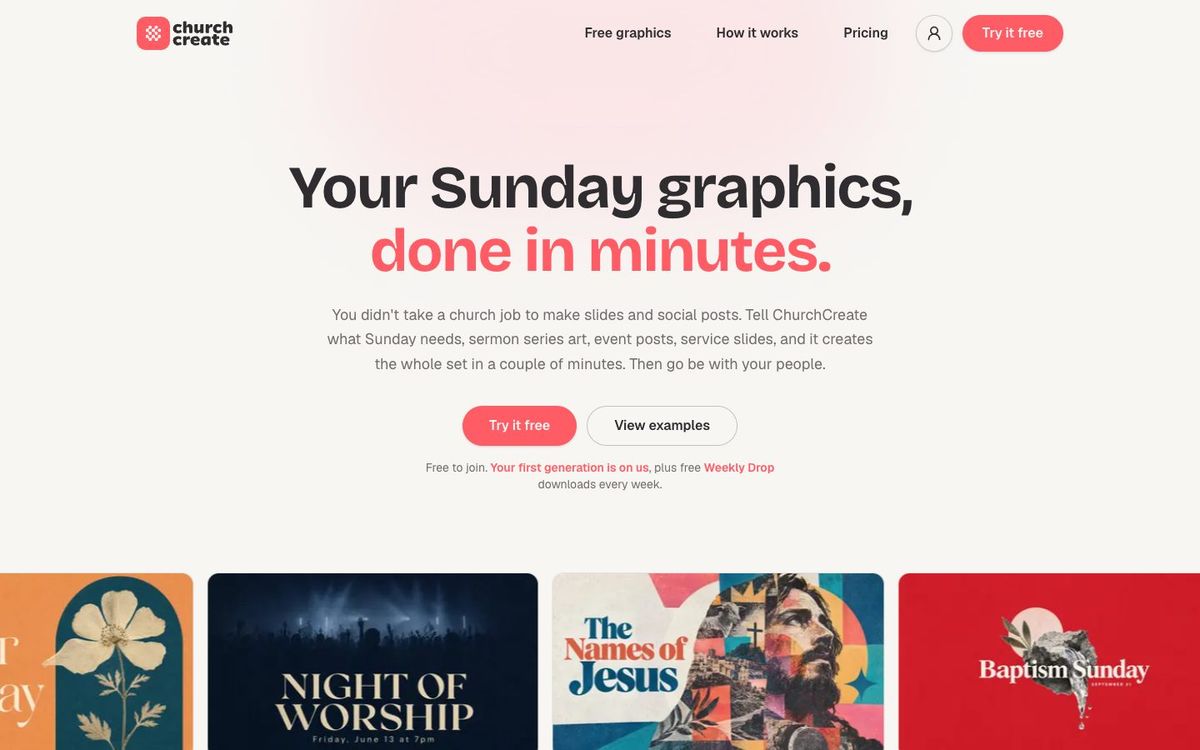
ChurchCreate, which we make, is an AI tool that designs church graphics in your church's look. Tell it what Sunday needs, give it the exact title, and pick from a few options in a couple of minutes. Every design comes in screen, feed, story and square sizes at once. It's free to join, with one generation a month and a free Weekly Drop of new graphics every week.

What ChurchCreate does

Tell it what Sunday needs. Get every size back.

  • Made only for churches

    Sermon series art, event graphics, service slides and social posts

  • Learns your look

    Pulls your colors, fonts and logo from your website, then a quick style quiz

  • Asks before it designs

    Your exact title, plus any subtitle, dates or verses

  • Options in minutes

    A few different directions, with More like this or a fresh set

  • Every size at once

    Screen, feed, story and square, plus custom sizes, then Download all

  • Refine it on Pro

    Change the text, font or background and add your logo

  • Trained on church work

    300,000 designs made for real churches, nothing scraped off the internet

  • Free every week

    A new Weekly Drop of graphics to download with a free account

See ChurchCreate
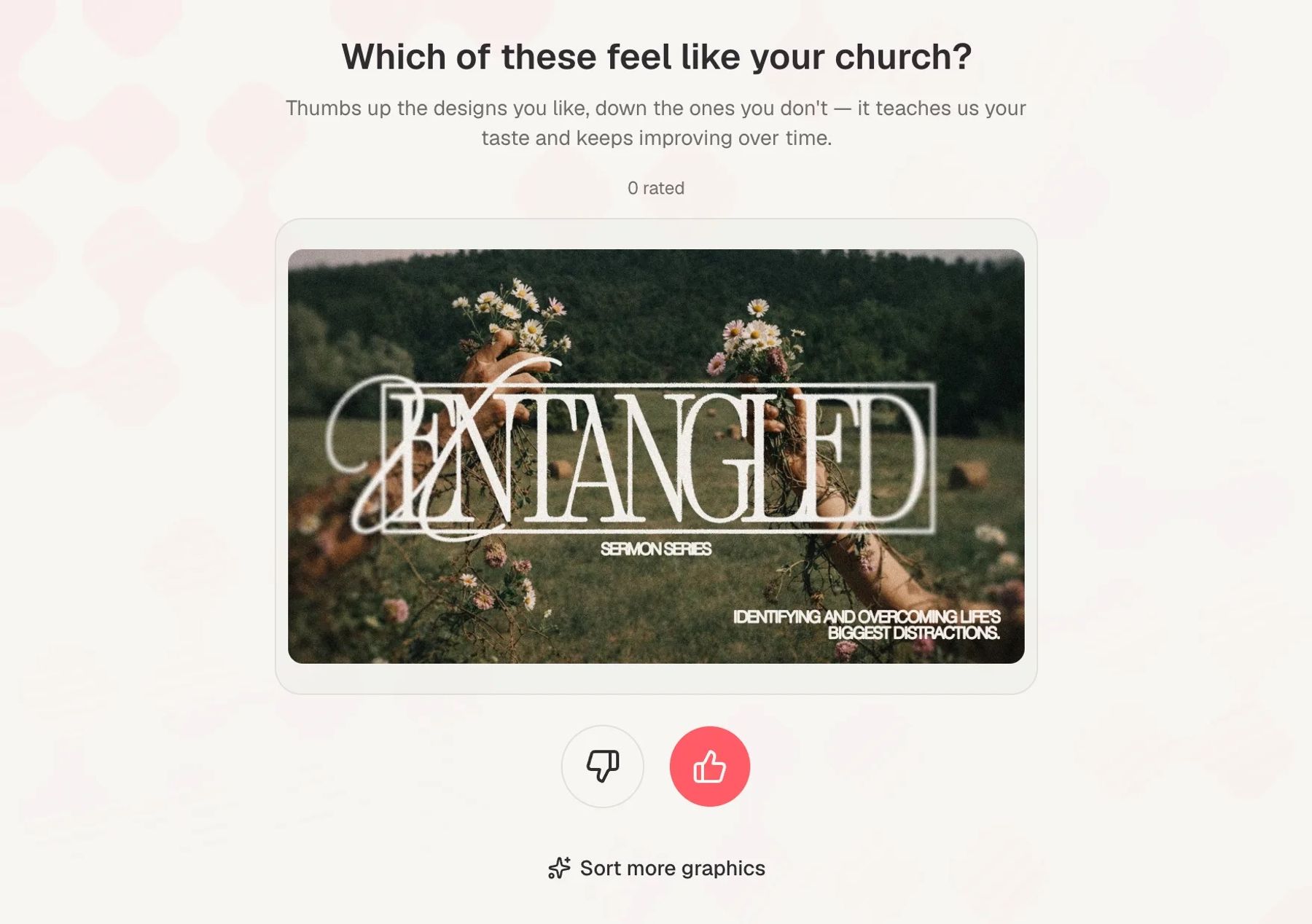
ChurchCreate's style quiz asking which designs feel like your church, with thumbs up and thumbs down buttons under a sermon series design
Set up once. Thumbs up the designs that feel like your church and thumbs down the ones that don't. It learns your taste and keeps improving.
Two finished Fall Fest event designs side by side on ChurchCreate's results screen, with Select this, More like this and Adjust buttons
A few directions in a couple of minutes. Select one, ask for more like it, or tap "None of these are right" for a fresh set.
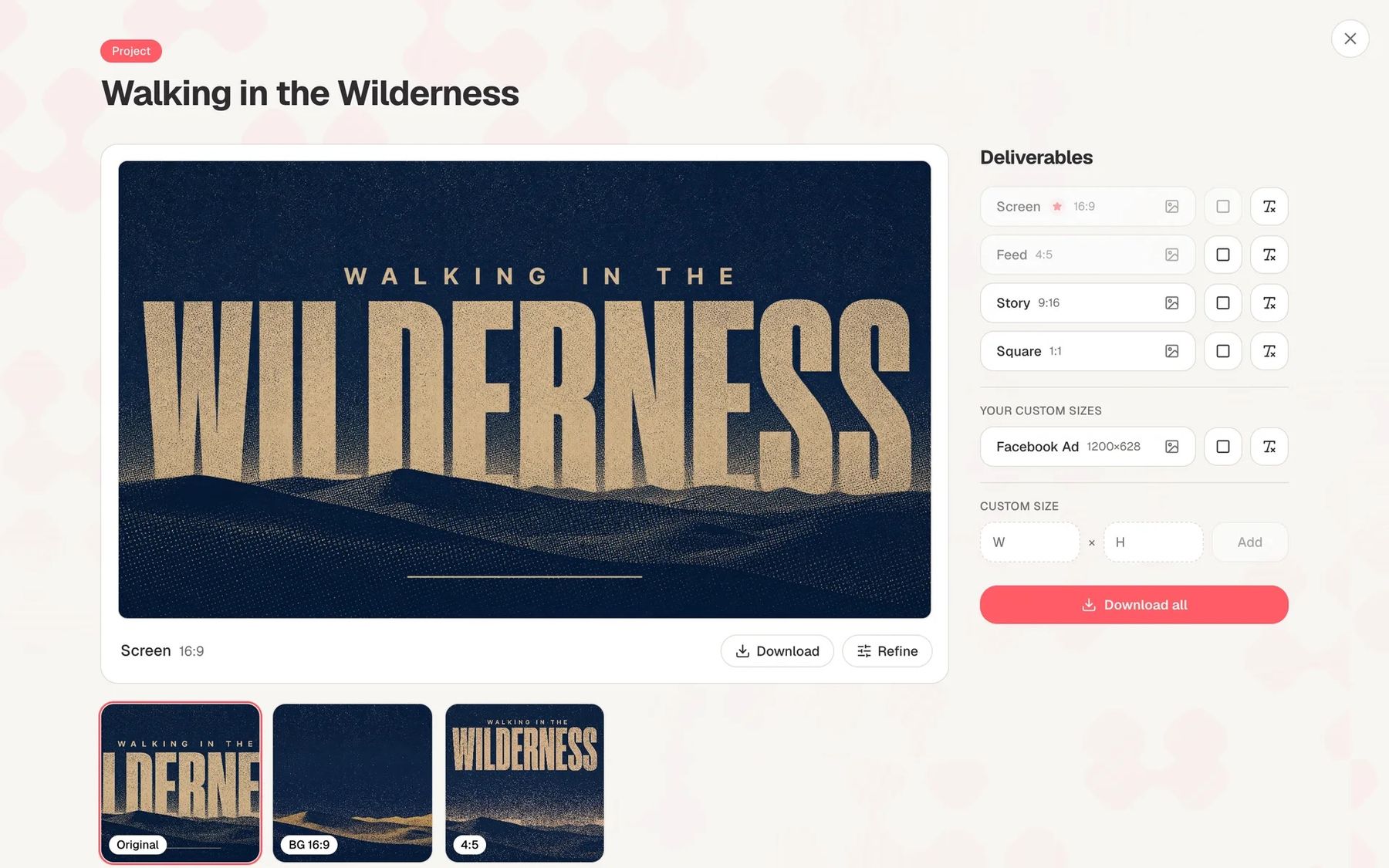
A finished Walking in the Wilderness sermon series project in ChurchCreate with screen, feed, story, square and custom sizes listed beside a Download all button
Every size in one project. Screen, feed, story and square sit beside any custom sizes you add, like a Facebook ad, and Download all grabs the set.

It's Thursday. The new series starts Sunday, the title just changed, and the person making the graphics also runs the kids' check-in. Making or hunting down a single graphic can take 20 to 30 minutes, and a series needs a slide, a feed post, a story and a square. ChurchCreate is built so that whole set takes a sentence and a couple of minutes.

How it works

  • Set up your church once. Point it at your church website and it pulls your colors, fonts and logo. A short style quiz shows real church designs and asks one question: does this feel like your church?
  • Tell it what you need, the way you'd say it out loud. It asks for the exact title and any subtitle, dates or verses before it starts designing.
  • Pick your favorite. In a couple of minutes you get a few options, each in a different direction. Ask for more like the one you like, or request a fresh set.
  • Download and go. Your pick arrives in every size, saved as a project in your dashboard so anyone on the team can find it later.

It keeps learning from the designs you choose, so the next series starts closer to your church's look.

Every size in one click

One design becomes the whole set, so the Instagram invite matches what's on the screens:

  • Screen, 16:9, for sermon slides, announcements and lobby TVs
  • Feed, 4:5, for Instagram and Facebook posts
  • Story, 9:16, for Instagram and Facebook stories
  • Square, 1:1, for anywhere a square fits
  • Custom sizes on request, like a 1200 × 628 Facebook ad

What it makes

  • Sermon series art that carries a whole series, from a single Sunday to a fall teaching calendar
  • Event graphics for Christmas Eve, VBS, a men's breakfast or the fall retreat
  • Service slides and announcements for every screen in the building
  • Social posts in feed, story and square versions of the same design

Who it's for

  • Church staff who make the weekly graphics without ever being the designer
  • Small teams that need every screen and feed size from one design
  • Churches that want series art, slides and social posts in one consistent look
  • Communications directors who want a dashboard where past projects are easy to find

What it costs

ChurchCreate is free to join. The free plan includes one generation a month, the Weekly Drop, the style quiz and every size. Pro is $97 a month, or $970 billed yearly, and adds the full community library, refinements, background variants and priority rendering. Max is $247 a month, or $2,470 billed yearly, with 2.5 times Pro's monthly usage, private generations and early access to new styles (Oct 2026).

A generation is one project with a set of concepts. Refining text, swapping backgrounds, resizing and starting from a community design don't count against it. There's a full refund within 7 days of your first charge, and you can cancel anytime.

The community library

On Pro, you can start from any design other churches have made with ChurchCreate. Pick one, and it builds a complete project from it, resized and restyled for your church. New designs are added every week.

Who's behind it

ChurchCreate is made by Church Media Squad, which has designed for more than 3,000 churches. Its designs start from a library of 300,000 graphics the team made for real churches, going back to 2015. Your church owns the designs it generates and can use them across your ministry and communications.

Other ways to do it

Want a design built around photos of your own people? Start from a Remix template and edit it in Remix Studio, which we also make. For the whole process, from the title to the booth, follow how to make a sermon series graphic. Comparing design apps? See the best design apps for church volunteers.

Questions churches ask

FAQ

Is ChurchCreate free?

Yes, it's free to join. The free plan includes one generation a month plus the free Weekly Drop downloads, and no card is needed. Pro is $97 a month, or $970 billed yearly (Oct 2026).

Will ChurchCreate match our church's branding?

That's the idea. Point it at your church website and it pulls your colors, fonts and logo, then a short style quiz teaches it your taste. It keeps learning from the designs you pick, and you can ask a series to break from your usual style.

What sizes does ChurchCreate make?

Every design comes in Screen (16:9), Feed (4:5), Story (9:16) and Square (1:1), and you can add custom sizes. Download all gets every size at once.

Who owns the graphics ChurchCreate makes?

Your church does. You can use the designs for your ministry and communications, commercial or otherwise. You can't resell them as stock assets or templates.

Will other churches see our designs?

They might on the Free and Pro plans. Those designs may be added to the community library and the Weekly Drop for other churches to download. The Max plan keeps your generations private.

Will ChurchCreate get our sermon title right?

It asks for your exact title and any extra text before it designs, which helps. As with any AI tool, check scripture references, dates and names before Sunday.

Let AI draft it

Tell it what Sunday needs. Get every size back.

Made by Church Media Squad, who also run Pro Church Media.

Try ChurchCreate free ↗

More from the blog: guides and tool roundups for church creatives.