Stock Videos
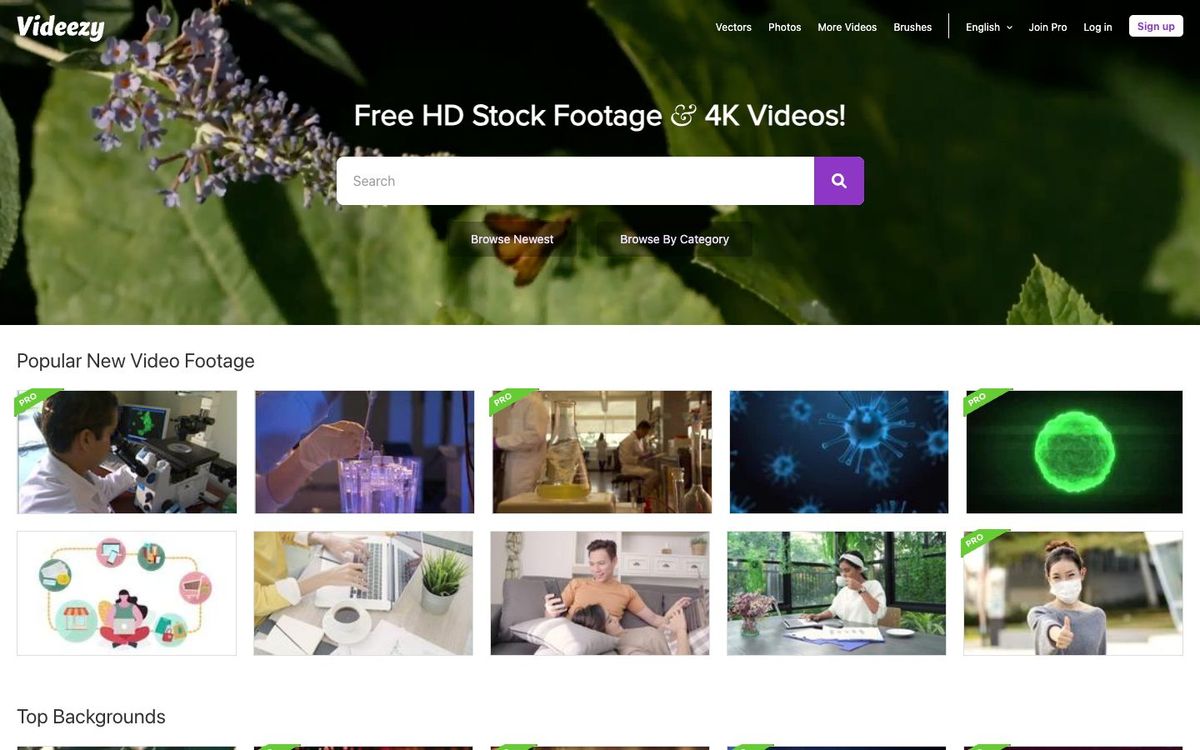
Videezy
Free HD and 4K stock clips for sermon bumpers, countdowns and backgrounds. Free files need a credit line; Pro clips cost credits.
- Price
- Free with credit; Pro credits $19 for 1, $49 for 10 (Oct 2026)
- Free option
- Yes
- Works on
- Web
- Learning curve
- Easy
The short answer: is Videezy right for your church?
Videezy is a stock video library where most clips are free to download in HD or 4K, with a paid Pro collection you buy with credits. It's best for churches that need b-roll, backgrounds or countdown footage on no budget. The catch: free clips require attribution, quality varies, and some files aren't cleared for commercial use.
Who Videezy is for
Great for
- Churches with no stock footage budget that can live with a credit line
- Volunteers who need a background loop or b-roll for this week's announcements
- Editors who want an occasional 4K clip without a subscription
Skip it if
- Teams that need lots of polished clips every week. A paid stock subscription is simpler to search and license.
- Churches that can't credit the source on every video. Use a library whose license doesn't require attribution.
How churches use Videezy
Sermon series bumper
Grab a free abstract or nature clip, lay your series title over it, and you have a short open for the message.
Walk-in loops and countdowns
Search for countdown clips, or build your own timer over a slow background loop for the screens before service.
Announcement b-roll
Fill gaps in the announcement video with city, coffee or crowd shots when you don't have footage from your own church.
Getting started with Videezy
- 1
Search Videezy for what you need, like 'countdown' or 'worship background'.
- 2
Click License Info under the clip to confirm it's cleared for how you'll use it.
- 3
Add 'Free Stock Footage by Videezy.com' to the video description or end credits.
Pros and watch-outs
What we like
- Large free library of HD and 4K clips
- Standard clips allow commercial use with attribution
- Pay per clip with credits instead of a monthly subscription
- Pro library includes After Effects templates for openers and titles
Watch out for
- Free clips need a credit line every time you use them
- Licenses vary clip by clip, so you have to check each one
- Credits expire one year after purchase
Videezy FAQ
Is Videezy free for churches?
Yes, for Standard clips. Videezy lets you download them free for personal, educational, editorial and commercial use as long as you give attribution. Pro clips, and licenses that drop the credit line, cost credits.
How do we credit Videezy?
Videezy suggests adding 'Free Stock Footage by Videezy.com' to the description under a YouTube video, or mentioning Videezy.com in the credits.
Can we use Videezy clips on YouTube?
Yes. Videezy says its footage can be used in YouTube videos. Free clips still need attribution, and clips marked NonCommercial Creative Commons or Editorial Use Only aren't available for commercial use.
Do Videezy credits expire?
Yes. Credits expire one year after purchase. A credit pack can be refunded within 14 days, but only if you haven't used any of its credits.