Social Management
SocialPilot
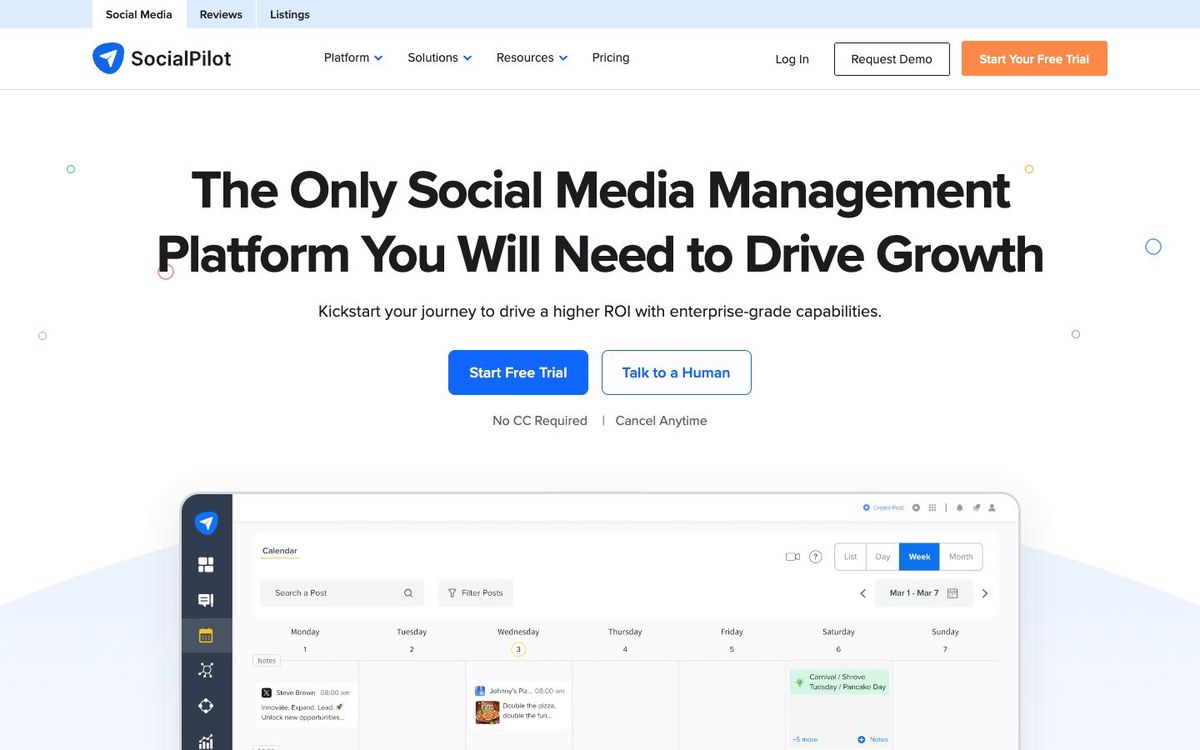
Social scheduler with bulk uploads, a content calendar, approvals and a shared inbox for Facebook, Instagram, TikTok, YouTube and more.
- Price
- From $25.50/mo billed yearly ($30 monthly) (Oct 2026)
- Free option
- No
- Church discount
- Nonprofit discount on request with a 501(c)(3) or equivalent document; amount not published
- Works on
- Web, iOS, Android
- Learning curve
- Moderate
The short answer: is SocialPilot right for your church?
SocialPilot is a social media scheduler with a content calendar, bulk scheduling, approvals and a shared inbox across the major networks. It's best for churches managing several ministry accounts that want team features at a mid-range price. The catch: there's no free plan, Essentials allows one user, and the nonprofit discount has to be requested by email.
Who SocialPilot is for
Great for
- Churches managing accounts for several ministries or campuses
- Communicators who plan a whole month of posts in a spreadsheet
- Small staffs that want approvals without enterprise pricing
Skip it if
- Churches with one or two accounts and no budget. A scheduler with a free plan covers that.
- Large organizations that need social listening and deep reporting. A premium social suite fits better.
How churches use SocialPilot
A month in one upload
Plan a sermon series' posts in a spreadsheet, then upload up to 500 at once from a CSV file.
Ministry leader approvals
Let the youth or kids' leader draft posts and approve them from your phone before they go live.
One inbox for every account
Answer comments, mentions and messages from all your church's accounts in one place.
Getting started with SocialPilot
- 1
Start the 14-day free trial and connect your church's main accounts.
- 2
Email SocialPilot support with your 501(c)(3) letter to ask about the nonprofit discount.
- 3
Build next month's posts in a spreadsheet and bulk upload them.
Pros and watch-outs
What we like
- Bulk schedule up to 500 posts from a CSV file
- Approvals and role-based permissions for team members
- Essentials includes seven social accounts
- Mobile app included on every plan
Watch out for
- No free plan, only a 14-day trial
- Essentials allows one user; teams need Standard or higher
- Nonprofit discount amount isn't published
Rather someone else ran your feed?
SocialPilot schedules posts. It doesn't write them. Church Media Squad's social team writes sermon reels, invite posts and captions for your church, and on its top plan schedules them too.
See Squad social media ↗Church Media Squad also runs Pro Church Media.
SocialPilot FAQ
Is SocialPilot free for churches?
No. SocialPilot has a 14-day free trial with no credit card required, but no free plan. Essentials starts at $25.50 a month billed yearly.
Does SocialPilot offer a nonprofit discount?
Yes, on request. Email the support team with your 501(c)(3) or equivalent document and the plan you want. The discount amount isn't published.
How many people can use SocialPilot?
Essentials is one user, Standard is three, Premium is six and Ultimate has unlimited users.
Which networks does SocialPilot support?
Facebook, Instagram, TikTok, X, LinkedIn, Threads, YouTube, Pinterest, Google Business Profile and Bluesky.