Fonts
Adobe Fonts
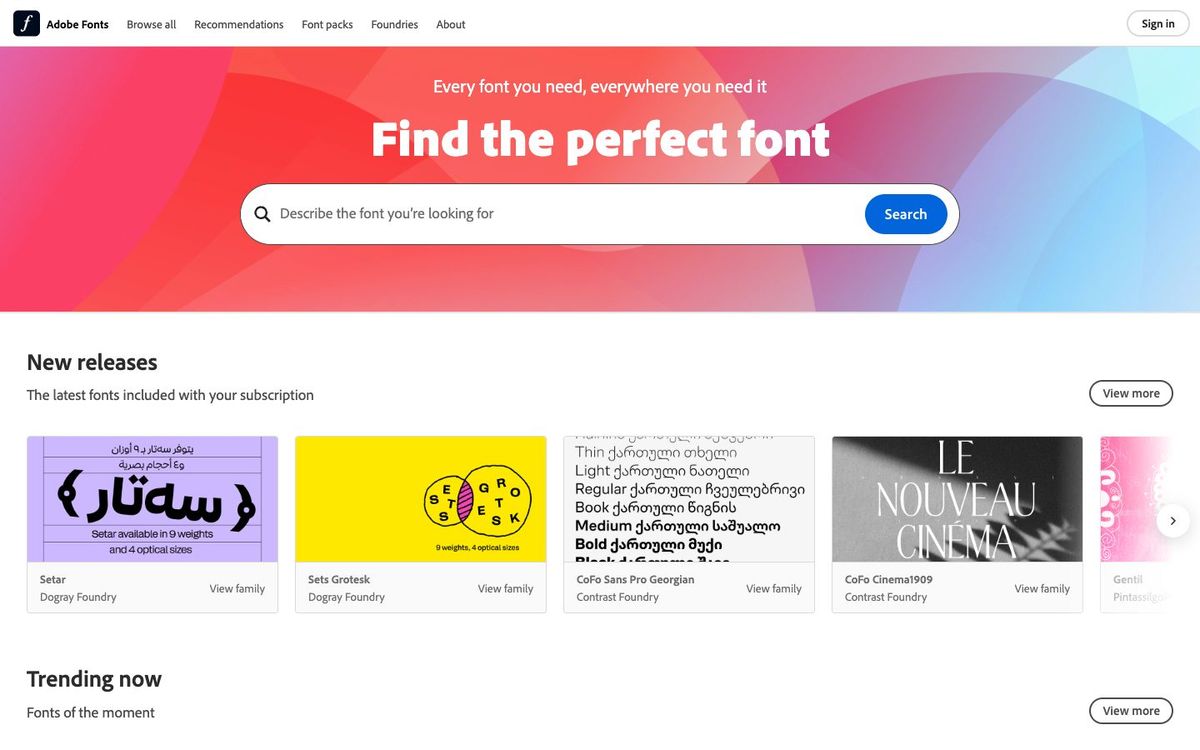
A library of 30,000+ licensed fonts included with Creative Cloud and paid Adobe Express. Cleared for print, web, video and logos.
- Price
- Included with paid Creative Cloud, Acrobat and Adobe Express plans
- Free option
- No
- Works on
- Mac, Windows, Web
- Learning curve
- Easy
The short answer: is Adobe Fonts right for your church?
Adobe Fonts is a library of more than 30,000 fonts included with Creative Cloud, Acrobat and paid Adobe Express plans. It's best for churches already paying for Adobe that want licensed fonts for print, slides, video and the website. The catch: fonts only stay active while you subscribe, and you can't send them to your printer.
Who Adobe Fonts is for
Great for
- Churches already paying for Creative Cloud or Adobe Express Premium
- Designers who need fonts cleared for print, web, video and broadcast
- Teams that want one licensed type source instead of tracking separate licenses
Skip it if
- Churches with no Adobe subscription. A free open-source font library costs nothing.
- Teams that need to send fonts to a printer or install them on a server. Buy a desktop license from the foundry instead.
How churches use Adobe Fonts
Sermon series typography
Add a display face for the series title and a clean sans serif for body text, and both show up in your desktop design apps.
Livestream lower thirds
Use the same fonts in your video graphics. Adobe's license covers in-house, commercial and broadcast video, including YouTube.
Church website type
Create a Web Project so your church's brand fonts appear on the website too.
Getting started with Adobe Fonts
- 1
Sign in to the Creative Cloud desktop app with your paid Adobe account.
- 2
Browse fonts.adobe.com and add the families for your next series.
- 3
Send printers PDFs with fonts embedded rather than packaged font files.
Pros and watch-outs
What we like
- More than 30,000 fonts from over 150 foundries
- Licensed for personal and commercial use, including logos
- Covers print, web, PDF, video and broadcast
- No attribution required
Watch out for
- Editable files show missing fonts if your subscription ends
- Fonts can't be packaged or sent to printers
- Desktop install requires the Creative Cloud app on Mac or Windows
Choosing fonts for a whole brand?
Picking fonts one flyer at a time is how a church ends up with twelve of them. Church Media Squad builds church brands: strategy, logo systems, palettes and an online brand guide your volunteers can follow.
See Squad branding ↗Church Media Squad also runs Pro Church Media.
Adobe Fonts FAQ
Is Adobe Fonts free?
Not on its own. The full library comes with Creative Cloud, Acrobat Pro and Standard, and paid Adobe Express plans. A basic library of about 5,500 fonts comes with Creative Cloud trials and a few other account types.
What's the cheapest way for a church to get Adobe Fonts?
Paid Adobe Express plans include the full library, and Express Premium is $9.99 a month. Check your plan's access level, since some low-cost or mobile-only Adobe plans only use the fonts inside Adobe's own apps.
Can we use Adobe Fonts in our church logo?
Yes. You can register the logo as a trademark, but not the font or typeface design itself.
Can we send Adobe Fonts to our print shop?
No. Adobe's terms don't allow transferring the fonts to another person or computer. Send a PDF with the fonts embedded, or your printer needs its own license.